Updated November 3, 2026. This article was rewritten from a product and price list into workload criteria, with specifications checked on manufacturers’ official pages on November 3, 2026. Prices and configurations change often, so check the official pages linked below before buying.
Define the workload before the device
The resource that becomes the bottleneck differs by task. Working with daily bars in pandas runs on almost any laptop. Even among “GPU tasks,” local LLM inference, model training, and Monte Carlo simulation hit different limits.
| Task | First resource to run out | What to check |
|---|---|---|
| Data collection and cleaning, ordinary backtests | CPU cores, system RAM, disk | Whether the dataset fits in memory |
| Local LLM inference | Memory capacity to hold the model, memory bandwidth | Parameter count × precision, context length |
| Model training and fine-tuning | GPU memory, framework support | CUDA support, memory including optimizer state |
| GPU Monte Carlo and grid search | Supported numeric precision, parallelism | Whether float64 is needed, whether the work splits |
If the first row describes your work, checking code and data format (columnar storage, reading only needed columns) usually pays off more than new hardware. The other three rows are separated by the criteria below.
Calculate model memory from parameter count and precision
The memory taken by LLM weights is roughly parameter count × bytes per parameter: 2 bytes for BF16 or FP16, 1 byte for 8-bit quantization, 0.5 bytes for 4-bit. RunPod’s docs use the same rule of thumb, citing about 14GB for a 7B model and about 35GB for a 4-bit 70B model. A KV cache that grows with context length, activations, and runtime headroom come on top.
BYTES_PER_PARAM = {"fp32": 4.0, "bf16": 2.0, "int8": 1.0, "4bit": 0.5}

def weight_gb(params_billion, precision):
    """Weights only, in GB. Excludes KV cache, activations, and runtime headroom."""
    return params_billion * BYTES_PER_PARAM[precision]

def fits(params_billion, precision, memory_gb, overhead=1.2):
    """Simple check with 20% headroom; real headroom depends on context length and batch."""
    return weight_gb(params_billion, precision) * overhead <= memory_gb

def decode_ceiling_tps(params_billion, precision, bandwidth_gbs):
    """Theoretical ceiling assuming weights are read once per token. Not a measurement."""
    return bandwidth_gbs / weight_gb(params_billion, precision)

assert weight_gb(7, "bf16") == 14.0           # matches the RunPod docs example: 7B ≈ 14GB
assert weight_gb(70, "4bit") == 35.0          # 4-bit 70B ≈ 35GB
assert not fits(70, "4bit", 32)               # weights alone exceed a single 32GB card
assert fits(70, "4bit", 128)                  # fits in 128GB of unified memory
assert round(decode_ceiling_tps(70, "4bit", 273), 1) == 7.8   # ceiling at 273GB/s
This is a weights-only lower bound. Training needs far more memory than inference because of gradients and optimizer state, and the exact amount depends on the framework and technique (LoRA and so on). Quantization reduces memory, but its effect on accuracy has to be checked per model and task.
After capacity comes memory bandwidth
Once the model fits, bandwidth sets the ceiling on generation speed. If generating one token reads the weights once, the theoretical ceiling on tokens per second is bandwidth ÷ weight size. Real speed is lower and depends on batching, kernels, and quantization format. Even so, bandwidth differences matter a great deal when comparing devices of the same capacity.
| Device (official specs) | Memory | Memory bandwidth |
|---|---|---|
| Mac mini (M6) | 16GB–32GB unified memory | 153GB/s or 170GB/s (by configuration) |
| Mac mini (M5 Pro) | 24GB–64GB unified memory | 307GB/s |
| Mac Studio (M5 Max) | 36GB–128GB unified memory | 460GB/s or 614GB/s (by configuration) |
| Mac Studio (M5 Ultra) | 96GB–512GB unified memory | 1.2TB/s |
| NVIDIA DGX Spark (GB10) | 128GB LPDDR5x unified memory | 273GB/s |
| GeForce RTX 5090 | 32GB GDDR7, 512-bit | Not listed on the product page |
| GeForce RTX 4090 | 24GB GDDR6X, 384-bit | Not listed on the product page |
From Apple and NVIDIA official specification pages, checked November 3, 2026. Memory ceilings vary by configuration; on Macs, some memory capacities are available only with specific chip configurations.
The table shows the boundaries. Consumer GPUs have less capacity but dedicated GDDR memory. Unified-memory devices can hold large models on one machine, but bandwidth varies widely by chip tier. DGX Spark’s 128GB helps load a large model, but its 273GB/s is close to the M5 Pro Mac mini (307GB/s) in the same table. “Can load a large model” and “generates quickly” are separate questions.
Framework support comes before the spec sheet
CUDA is the path that major training frameworks such as PyTorch and JAX support by default on NVIDIA GPUs. If training and fine-tuning are the main work, the NVIDIA side offers more options. For a GPU of a new architecture, first confirm that your framework build and driver support it.
On Apple Silicon, PyTorch uses the GPU through the Metal-based MPS backend (device="mps"). According to the PyTorch docs, MPS does not support float64 or complex128, and creating such tensors raises an error rather than downcasting. Numerics that need double precision must run on the CPU. If you plan to move Monte Carlo or optimization code to the GPU, check this constraint first. Local LLM inference tools often have their own Metal support, so check the documentation of the tool you plan to use.
DGX Spark runs Ubuntu-based DGX OS on a 20-core Arm CPU. Binaries or packages distributed only for x86 may not run as is, so check that your dependencies have aarch64 builds.
Where the three device types fit
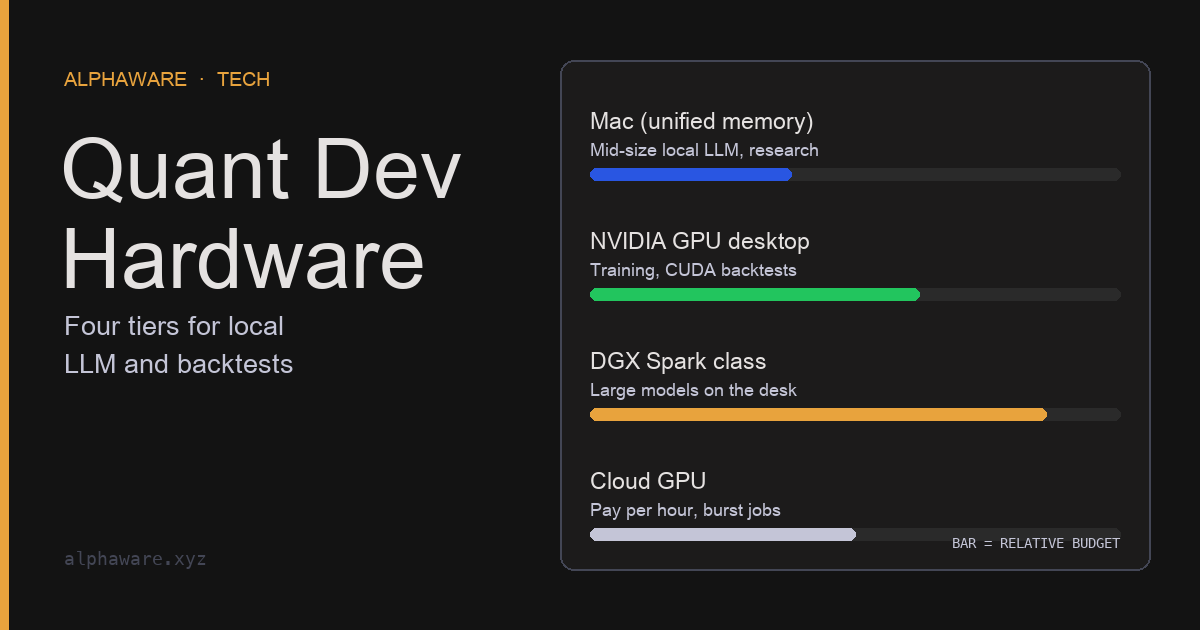
NVIDIA consumer GPU desktops
The default when you need training and the CUDA ecosystem. The limit is memory per card: the RTX 5090 has 32GB and the RTX 4090 24GB, so by the calculation above the weights of a 4-bit 70B model (about 35GB) do not fit on one card. Power is a design constraint too. NVIDIA lists 450W total graphics power and at least 850W system power for the RTX 4090, and 575W and 1000W (for a Ryzen 9 9950X system) for the RTX 5090. Plan power supply, cooling, and case space together.
Apple Silicon Macs
Unified memory makes it easy to load a large model on one machine, with low power and noise. Macs suit inference and everyday development, but not CUDA-only training code or double-precision GPU computation. Once the model size is set, choose a chip configuration from the table above that holds it, and look at its bandwidth at the same time.
Compact GB10 systems (DGX Spark and others)
A 150 × 150 × 50.5mm, 1.2kg machine with the NVIDIA GB10 Grace Blackwell chip, 128GB of unified memory, and ConnectX-7 (200Gbps) networking. NVIDIA cites models of up to 200B parameters on one unit and up to 400B with two linked, and lists AI performance as up to 1 PFLOP of theoretical FP4 with sparsity. That figure is a low-precision number and should not be read as FP16 training performance. Acer, ASUS, Dell, Gigabyte, HP, Lenovo, and MSI sell GB10-based systems, with storage and memory configurations (including some 64GB models) varying by manufacturer.
The fit is narrow: you cannot send data to an external cloud and need a large model running locally all the time, or you need large memory while keeping a CUDA environment. If generation speed matters, look at the bandwidth comparison above first.
Split buying and renting by hours of use and data constraints
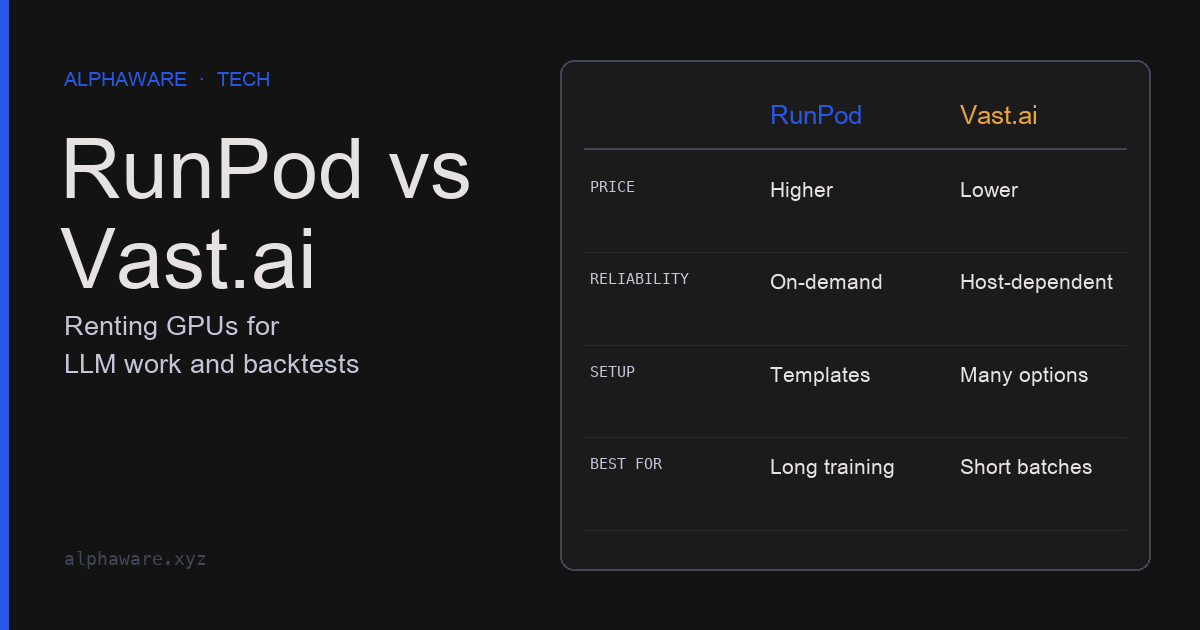
If GPU work is occasional, cloud rental comes first. The comparison is not one hourly rate. Combine whether the instance can be interrupted (on-demand versus interruptible), storage charges that apply even when nothing runs, data transfer charges, and minimum credit requirements. The structure of each service is in the RunPod vs Vast.ai column.
Buying fits when usage is long and steady, or when data cannot leave your premises. To decide, divide the device price by the expected hours of use and compare it with renting the same spec, including power, maintenance, and depreciation. The numbers must come from official prices at the time of purchase and your actual usage records; this article cannot set them for you. For choosing between local and API models in the first place, see Local LLM vs cloud models.
→ Join RunPod (with referral credit)
Sources and scope
- Apple Mac mini specs and Mac Studio specs: unified memory capacity and bandwidth by chip configuration.
- NVIDIA DGX Spark: GB10 specs, memory and bandwidth, cited model sizes, FP4 performance conditions, OEM list.
- NVIDIA GeForce RTX 5090 and RTX 4090: memory, memory interface, power specs.
- PyTorch MPS backend notes: the
mpsdevice and lack of float64 support. - RunPod guide to choosing a Pod: memory-per-parameter rule of thumb and VRAM ranges by task.
- No device benchmarks were measured for this article, and it does not recommend buying any specific product. The generation-speed calculation is a theoretical ceiling, not a measurement.