Quantitative Research Starts with Data
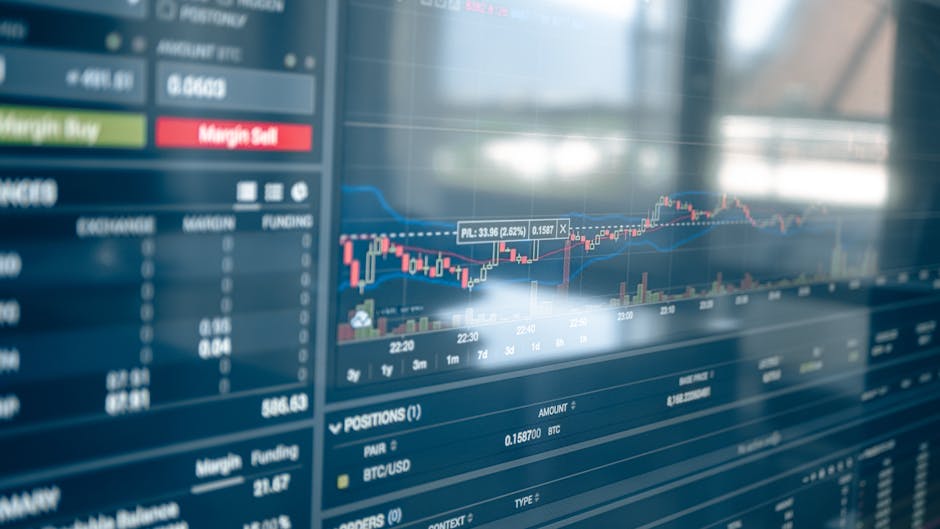
No matter how good your strategy idea is, you cannot validate it without data. The biggest advantage of the crypto market is that data is freely available. In traditional finance, you need Bloomberg Terminal or paid data feeds, but crypto exchange APIs are accessible to anyone for free.
This article focuses on creating a data pipeline to collect OHLCV, funding rates, and order book data from Binance API.
Basics of Binance API
Binance is the largest crypto exchange with well-documented APIs. It provides both REST API and WebSocket interfaces.
Setup
pip install python-binance pandasCollecting OHLCV (candlestick) Data
from binance.client import Client
import pandas as pd

client = Client()  # Public data does not require an API key

def get_ohlcv(symbol: str = "BTCUSDT",
             interval: str = "1h",
             limit: int = 1000) -> pd.DataFrame:
    """Fetch OHLCV data from Binance"""
    klines = client.get_klines(
        symbol=symbol,
        interval=interval,
        limit=limit
    )
    df = pd.DataFrame(klines, columns=[
        'open_time', 'open', 'high', 'low', 'close', 'volume',
        'close_time', 'quote_volume', 'trades',
        'taker_buy_base', 'taker_buy_quote', 'ignore'
    ])
    # Data type conversions
    for col in ['open', 'high', 'low', 'close', 'volume']:
        df[col] = df[col].astype(float)
    df['open_time'] = pd.to_datetime(df['open_time'], unit='ms')
    df.set_index('open_time', inplace=True)
    return df[['open', 'high', 'low', 'close', 'volume']]

# Usage example
btc_1h = get_ohlcv("BTCUSDT", "1h", 500)
print(btc_1h.tail())
Long-term Data Collection (1 year+)
Since limit=1000 is the maximum, longer periods require segmented requests.
from datetime import datetime, timedelta

def get_historical_ohlcv(symbol: str,
                          interval: str,
                          start_date: str,
                          end_date: str = None) -> pd.DataFrame:
    """Collect long-term OHLCV data"""
    klines = client.get_historical_klines(
        symbol=symbol,
        interval=interval,
        start_str=start_date,
        end_str=end_date
    )
    df = pd.DataFrame(klines, columns=[
        'open_time', 'open', 'high', 'low', 'close', 'volume',
        'close_time', 'quote_volume', 'trades',
        'taker_buy_base', 'taker_buy_quote', 'ignore'
    ])
    for col in ['open', 'high', 'low', 'close', 'volume']:
        df[col] = df[col].astype(float)
    df['open_time'] = pd.to_datetime(df['open_time'], unit='ms')
    df.set_index('open_time', inplace=True)
    return df[['open', 'high', 'low', 'close', 'volume']]

# Example: From Jan 2025 to now, 4-hour candles for BTC
btc_4h = get_historical_ohlcv("BTCUSDT", "4h", "2025-01-01")
print(f"Collected candles: {len(btc_4h)}")
Collecting Funding Rates
Funding rates in the futures market indicate long/short imbalance. Persistently high funding rates suggest long oversaturation, low rates suggest short oversaturation.
def get_funding_rate(symbol: str = "BTCUSDT",
                     limit: int = 500) -> pd.DataFrame:
    """Fetch Binance futures funding rates"""
    data = client.futures_funding_rate(
        symbol=symbol,
        limit=limit
    )
    df = pd.DataFrame(data)
    df['fundingTime'] = pd.to_datetime(df['fundingTime'], unit='ms')
    df['fundingRate'] = df['fundingRate'].astype(float)
    df.set_index('fundingTime', inplace=True)
    return df[['fundingRate']]

funding = get_funding_rate("BTCUSDT")
print(f"Current funding rate: {funding.iloc[-1]['fundingRate']:.6f}")
print(f"7-day average: {funding.tail(21)['fundingRate'].mean():.6f}")
Funding Rate Signals
def funding_rate_signal(funding_df: pd.DataFrame) -> str:
    """Market overheating signals based on funding rate"""
    current = funding_df.iloc[-1]['fundingRate']
    avg_7d = funding_df.tail(21)['fundingRate'].mean()
    if current > 0.01:  # Over 1%
        return "EXTREME_LONG"  # Excessively long
    elif current > avg_7d * 3:
        return "OVERHEATED_LONG"  # Overheated long
    elif current < -0.005:
        return "EXTREME_SHORT"  # Excessively short
    else:
        return "NEUTRAL"
Order Book Snapshot
Order book depth helps identify support/resistance levels in real-time. Large orders accumulate at certain prices, making it difficult to pass through those levels.
def get_orderbook(symbol: str = "BTCUSDT",
                  limit: int = 100) -> dict:
    """Get order book snapshot"""
    depth = client.get_order_book(symbol=symbol, limit=limit)
    bids = pd.DataFrame(depth['bids'], columns=['price', 'qty'])
    asks = pd.DataFrame(depth['asks'], columns=['price', 'qty'])
    for df in [bids, asks]:
        df['price'] = df['price'].astype(float)
        df['qty'] = df['qty'].astype(float)
        df['value'] = df['price'] * df['qty']
    return {
        'bids': bids,
        'asks': asks,
        'bid_wall': bids.nlargest(3, 'value'),  # Top 3 buy walls
        'ask_wall': asks.nlargest(3, 'value'),  # Top 3 sell walls
    }

book = get_orderbook("BTCUSDT")
print("Buy Walls (Support):")
print(book['bid_wall'][['price', 'value']])
print("\nSell Walls (Resistance):")
print(book['ask_wall'][['price', 'value']])
Automated Data Collection Pipeline
A simple setup that automatically collects data hourly and saves it to files.
import schedule
import time
from pathlib import Path

DATA_DIR = Path("data")
DATA_DIR.mkdir(exist_ok=True)

def collect_and_save():
    """Run every hour: save OHLCV + funding rate"""
    timestamp = datetime.now().strftime("%Y%m%d_%H")
    # OHLCV
    ohlcv = get_ohlcv("BTCUSDT", "1h", 24)
    ohlcv.to_parquet(DATA_DIR / f"btc_1h_{timestamp}.parquet")
    # Funding Rate
    funding = get_funding_rate("BTCUSDT", 10)
    funding.to_parquet(DATA_DIR / f"funding_{timestamp}.parquet")
    print(f"[{timestamp}] Data collection complete")

# Schedule hourly collection
schedule.every(1).hours.do(collect_and_save)

while True:
    schedule.run_pending()
    time.sleep(60)
In production, turn this script into a daemon with cron or systemd, and add Slack alerts for errors. You can also deploy on Railway for serverless operation.
When API Keys Are Needed
Public data (OHLCV, order book, funding rates) does not require an API key. However, the following features do:
- Account balance inquiries
- Order execution
- Position management
- WebSocket user data streams
Generate API keys in your Binance account settings. Ensure IP restrictions and read-only permissions are enabled. Never grant withdrawal permissions.
Integrating Data Across Multiple Exchanges
Relying on Binance alone limits market coverage. Using the ccxt library allows access to over 100 exchanges with a standardized interface.
import ccxt

def compare_funding_rates():
    """Compare funding rates across exchanges"""
    exchanges = {
        'binance': ccxt.binance(),
        'bybit': ccxt.bybit(),
    }
    for name, ex in exchanges.items():
        try:
            funding = ex.fetch_funding_rate('BTC/USDT:USDT')
            rate = funding.get('fundingRate', 0)
            print(f"{name}: {rate:.6f}")
        except Exception as e:
            print(f"{name}: error - {e}")
Significant differences in funding rates among exchanges can indicate arbitrage opportunities.
How this differs from the public ticker
The alphaware.xyz homepage ticker does not call exchange REST directly. Binance public REST returns 403 from Cloudflare Pages egress, so /api/quotes reads BTC, ETH, and macro through the Yahoo Finance chart API. The samples below are a research ingest sketch, not the live ticker.
Limits
limit=1000and venue rate limits mean long history has to be requested in pages. The body already shows that split.- An order-book snapshot is a moment. A wall is not automatically support or resistance.
- Public endpoints cannot verify fills or balances. The key-required cases are listed above.
- This note does not claim that we stored N days of bars and computed a Sharpe.
Using those bars as a volatility distance is in ATR for stops and position size. Re-checking the rule is in Preventing overfitting. Hardware choices are in Quant hardware.
Conclusion
Crypto data collection is the foundational infrastructure for quant research. Starting with Binance API allows free collection of OHLCV, funding rates, and order book data. Using ccxt extends coverage to many exchanges.
Accumulating data enables factor analysis, signal generation, and backtesting.
Sign up for Binance — this referral link grants trading fee discounts.
Recommended Related Articles
ATR for stops and position size
Preventing overfitting in backtests